🔥 Imagine Managing Hundreds of VMs Without the Headache.
You’re running an application that needs dozens, maybe hundreds of virtual machines. Manually starting, stopping, or updating each VM would be a nightmare. Luckily, Google Cloud offers a solution: Instance Groups — where multiple VMs are treated as a single, manageable entity.
With instance groups, you can scale your infrastructure automatically, ensure high availability, and simplify maintenance — all while saving time and reducing errors.
🟢 What Is an Instance Group?
An Instance Group is simply a collection of virtual machines (VMs) managed as a single unit. Instead of managing each VM individually, you can control the lifecycle of similar VMs collectively.
Think of it as having a control panel for your VMs, where you can deploy updates, scale, or heal the entire group with a few clicks.
🔹 Types of Instance Groups
Google Cloud provides two types of instance groups, depending on your use case:
1️⃣ Managed Instance Groups (MIGs)
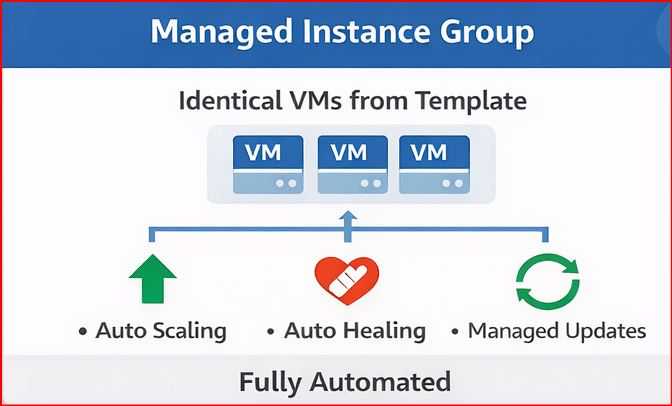
You want a fleet of identical VMs for your web application that automatically adjusts based on traffic. This is where Managed Instance Groups (MIGs) shine.
Features:
Managed updates: Apply software updates or configuration changes across the group seamlessly.
Identical VMs created from a template.
Auto-scaling: Automatically adds or removes VMs based on load.
Auto-healing: Detects unhealthy VMs and replaces them
2️⃣ Unmanaged Instance Groups (UIGs)
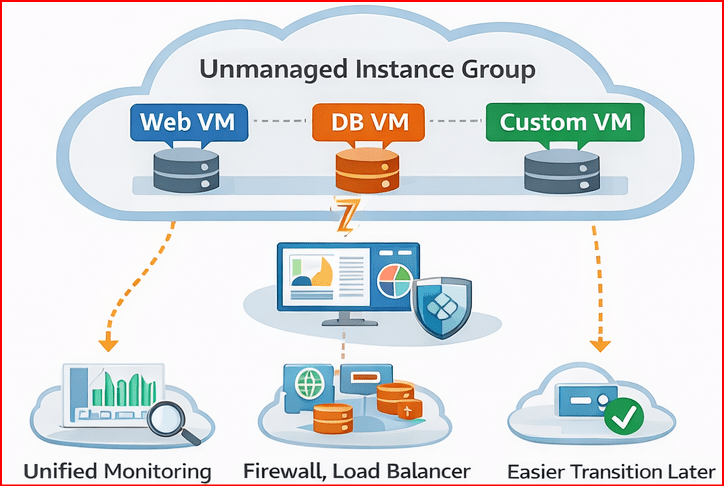
At first glance, it seems “if I control each VM individually, why bother grouping them?”
The key is that unmanaged instance groups are not about automating VMs, but about organizing and managing them as a single logical unit.
Think of it as a way to manage a “team of unique VMs” collectively rather than individually — even if they’re different.
🔹 Use Cases for Unmanaged Instance Groups
- Mixed VM Configurations
- You have different VM types in one application (web servers, databases, analytics nodes)
- You cannot use Managed Groups because MIGs require identical VMs
- With an Unmanaged Group, you can still treat the collection as a unit for monitoring, scaling manually, or applying scripts
- Simplified Monitoring & Networking
- Even if each VM is different, grouping them allows you to:
- Apply a single firewall rule or load balancer
- Monitor CPU/memory usage collectively
- Manage instance metadata or network tags
- Even if each VM is different, grouping them allows you to:
- Transition & Migration
- You might have legacy VMs or VMs that can’t fit a template yet
- Grouping them logically allows you to transition to managed groups later
“Choose managed instance groups for automated, scalable VMs, or opt for unmanaged groups when you need flexible, diverse VM setups — the right group makes cloud management effortless.”
 DBzTech-Technology Dossier
Leave a comment