Google App Engine is the solution to Infrastructure problem as seen in Compute Engine.
Google App Engine (GAE) is a cloud-based Platform-as-a-Service (PaaS) that lets developers build, deploy, and scale web applications without managing infrastructure. It operates on a serverless architecture within Google’s global infrastructure.
Google automatically handles:
- Server provisioning
- Scaling (up or down based on traffic)
- Load balancing
- Security patches
- Monitoring and logging
Because of its serverless nature, developers can focus on writing code while Google manages the underlying infrastructure.
One important feature of App Engine is the Traffic Splitting. Instead of pushing new version of the software to all users, App Engine allows to perform gradual rollout. For example, route 10% of the traffic to the new version, then 50% and it everything looks fine, route 100% of the traffic to the latest version.
When creating GAE, we will be presented with the option to chose the language from dropdown and also to chose the environment (standard or flexible)
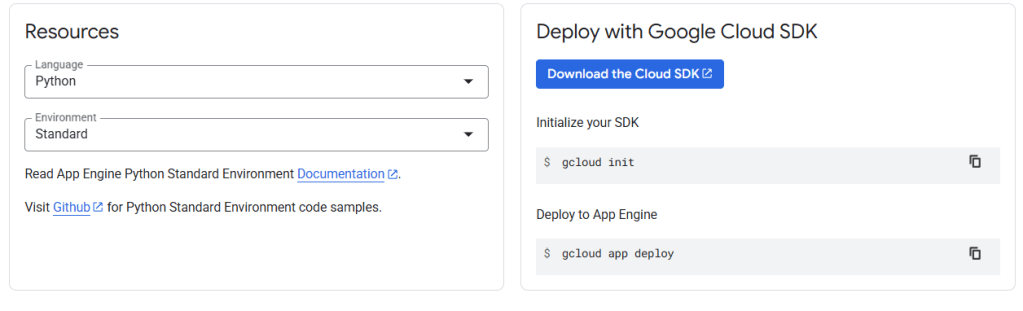
Supported Programming Languages
Google App Engine supports a wide range of popular programming languages, including:
- Python
- Java
- Node.js
- Go
- PHP
- Ruby
- .NET / C# (via Flexible environment)
The Standard environment uses Google-managed runtimes, while the Flexible environment supports custom runtimes through Docker, giving developers full control over dependencies.
When to Use Standard vs Flexible — Which to Choose
(TIP: GCP Exam Question)
Choose Standard Environment when:
- Application is fairly simple, stateless, and written in one of GAE’s supported languages/runtimes.
- Expect sudden or unpredictable traffic, and want to scale to zero when idle to save cost.
- Fast startup time (instances start in seconds) and minimal operational overhead.
Choose Flexible Environment when:
- Application requires custom libraries, native code, background processes, disk writes, or more CPU/memory than allowed in standard sandbox.
Here’s a clear tabular comparison between Google App Engine Standard Environment and Flexible Environment:
| Feature | Standard Environment | Flexible Environment |
|---|---|---|
| Supported Languages | Predefined runtimes (Java, Python, Go, PHP, Node.js, Ruby) | Any language using custom Docker containers |
| Scaling | Automatic scaling with quick startup. Scales to Zero when idle. | Automatic scaling but slower startup due to VM-based architecture |
| Instance Type | Runs in a sandboxed environment | Runs on Google Compute Engine VMs |
| Customization | Limited (cannot install arbitrary software or modify OS) | Full customization (can install any software, modify OS, use custom runtimes) |
| Deployment Speed | Very fast (seconds) | Slower (minutes) |
| Pricing Model | Based on instance class and usage | Based on VM resources (CPU, memory, disk) |
| Persistent Disk | Not supported | Supported |
| SSH Access | Not available | Available |
| Background Processes | Not supported | Supported |
| Best For | Lightweight apps, quick deployments, cost efficiency | Complex apps requiring custom dependencies or OS-level control |
Important Considerations in Flexible environment:
- A) At least one instance must always be running, making it more expensive.
- B) Startup time is slower than Standard
- C) Ideal for workloads requiring custom binaries, libraries, or native code.
To Summarize:
- App Engine=Google’s PaaS where we can write code and google manages everything
- Great for Web Apps, APIs and Microservices.
 DBzTech-Technology Dossier
Leave a comment