In the era before cloud computing, upgrading RAM or CPU in a data center meant physically shutting down servers, opening chassis, inserting memory modules, and rebooting. The process triggered downtime, required capital expenditure, and demanded manual maintenance.
With Infrastructure-as-a-Service (IaaS) on Cloud platform, these tasks are automated with a few clicks. You no longer need to worry about hardware upgrades, physical configurations, security, or the ongoing maintenance of a traditional server farm.
A classic example of IaaS on Google Cloud is Compute Engine. It allows you to spin up virtual machines with specific configurations — such as RAM, number of CPUs, and storage — based on your requirements. The ability to scale up or down quickly is the biggest benefit of IaaS. In contrast to a traditional data center, where any scaling requires exhaustive planning, downtime, and significant capital outlay, IaaS makes scaling not just simple, but automatable.
In this model google manages the physical hardware and you manage the operating system and everything above it. Think of it as computer on rent. You decide the CPU, RAM, storage and networking.
A snapshot of google console shows the options google provides to configure VMs
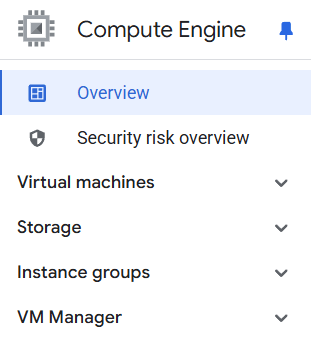
So, typically You need to configure
1. vCPUs & Memory (RAM): Define compute power and performance.
2. Operating System: Choose between Linux or Windows Server.
3. Storage Type: Persistent Disk for durability or Local SSDs for high performance.
4. Machine Type Family: Standard, high-memory, or high-CPU.
5. Region & Zone: Deploy VMs closer to your users for reduced latency.
These parameters give businesses complete flexibility to customize their cloud infrastructure without downtime. You can spin up or spin down CPU, RAM as per demands, thus giving you more control.
To Summarize:
Compute Engine = Google’s Virtual Machine.
It gives full control and also full responsibility.
However, IaaS comes with certain demerits like:
1.Infrastructure Management Overhead
Unlike serverless or managed services, Compute Engine requires you to manage virtual machines (VMs), operating systems, patches, and scaling configurations.
2. Manual Scaling
Auto-scaling is available but needs configuration. Without it, scaling up or down is manual, which can lead to inefficiencies.
3. Cost Management Challenges
If VMs run continuously without optimization, costs can escalate quickly. Idle resources still incur charges. In IaaS, we pay for the uptime, regardless of any traffic.
4. Maintenance Responsibility
You are responsible for OS updates, security patches, and monitoring, which increases operational burden.
A point to note: A very specialized IaaS Offering from Google is Bare Metal Solution typically for Oracle databases and SAP applications.
To continue to the next topic, the solution to provisioning Infrastructure lies in Google App Engine.
Lets take a dive there in the next post.
 DBzTech-Technology Dossier
Leave a comment